








The APSBCL Retailer Login portal is an essential online platform for liquor shop owners operating under the Andhra Pradesh State Beverages Corporation Limited (APSBCL). This digital system helps retailers manage daily business operations such as stock orders, payments, invoices, and sales reports without visiting APSBCL offices repeatedly.
If you are an APSBCL-licensed retailer and want to understand how the login system works, this blog post explains everything step by step.
Table of Contents
What Is APSBCL Retailer Login?
APSBCL Retailer Login is the official online portal created by the Andhra Pradesh government for authorized liquor retailers. Through this portal, retailers can:
- Place liquor stock orders online
- View allotments and invoices
- Track payment status
- Download sales and stock reports
- Manage retailer account details
The portal improves transparency and saves time by shifting manual processes to an online system.
Official APSBCL Retailer Login Website
Retailers can log in only through the official APSBCL website:
👉 https://retail.apsbcl.ap.gov.in
Always make sure you are visiting the official site to avoid fake or duplicate portals.
How to Login to APSBCL Retailer Portal (Step-by-Step)
Follow these simple steps to access the APSBCL Retailer Login page:
Step 1: Visit the Official Website
Open your browser and go to https://retail.apsbcl.ap.gov.in
Step 2: Click on Retailer Login
On the homepage, you will see the Retailer Login option. Click on it.
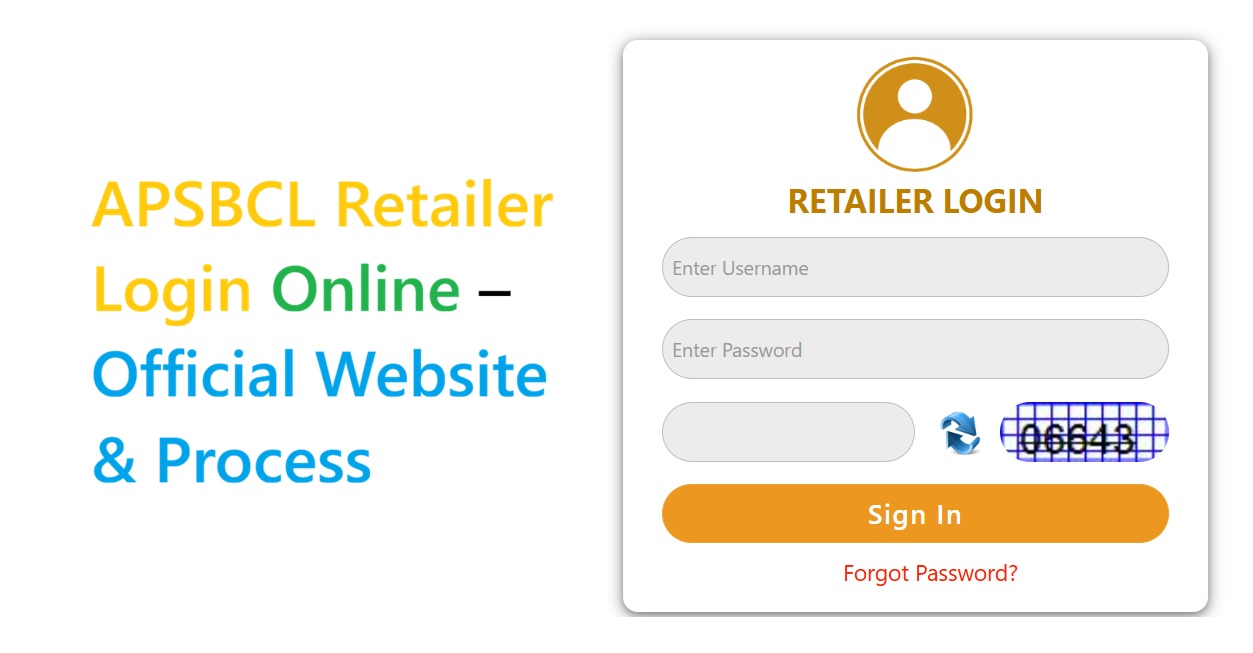
Step 3: Enter Login Credentials
Fill in the required details:
- Retailer User ID
- Password
- Captcha code shown on the screen
Step 4: OTP Verification (If Required)
Some users may receive an OTP on their registered mobile number for verification.
Step 5: Access Retailer Dashboard
After successful login, you will be redirected to your dashboard where you can manage all APSBCL services.
Features Available After APSBCL Retailer Login
Once logged in, retailers can access multiple important features, including:
- 🧾 Stock Order Placement
- 📦 Depot Allocation Details
- 💳 Payment & Challan Status
- 📊 Sales & Stock Reports
- 🧾 Invoice Download
- 👤 Retailer Profile Management
These features help retailers run their shops smoothly and maintain accurate records.
Forgot Password? Here’s How to Reset It
If you forget your APSBCL retailer login password, don’t worry.
Steps to Reset Password:
- Go to the login page
- Click on Forgot Password
- Enter your registered User ID or mobile number
- Verify using OTP
- Set a new password and log in again
Common APSBCL Retailer Login Problems & Solutions
❌ Incorrect User ID or Password
✔️ Double-check credentials and CAPS LOCK key
❌ OTP Not Received
✔️ Ensure your mobile number is active and registered
❌ Website Not Opening
✔️ Clear browser cache or try a different browser
❌ Account Locked
✔️ Contact APSBCL depot office or official support
Who Can Use APSBCL Retailer Login?
Only licensed liquor retailers approved by APSBCL in Andhra Pradesh can access this portal. Login credentials are provided by APSBCL during license issuance.
Important Tips for Retailers
- Never share your login credentials with anyone
- Always log out after completing your work
- Regularly download invoices and reports
- Use a secure internet connection
Final Words
The APSBCL Retailer Login portal plays a crucial role in simplifying liquor retail operations in Andhra Pradesh. From stock ordering to payment tracking, everything is now available online, making business management faster and more transparent.
Also Read About:-) GEHU ERP Login: Easy Access to Student Dashboard & Features